
Small business owners rarely struggle because they have nothing to do. The problem is usually the opposite: customer questions arrive while invoices need attention, marketing has to stay active, leads need follow-up, and someone still has to understand whether sales are moving in the right direction.
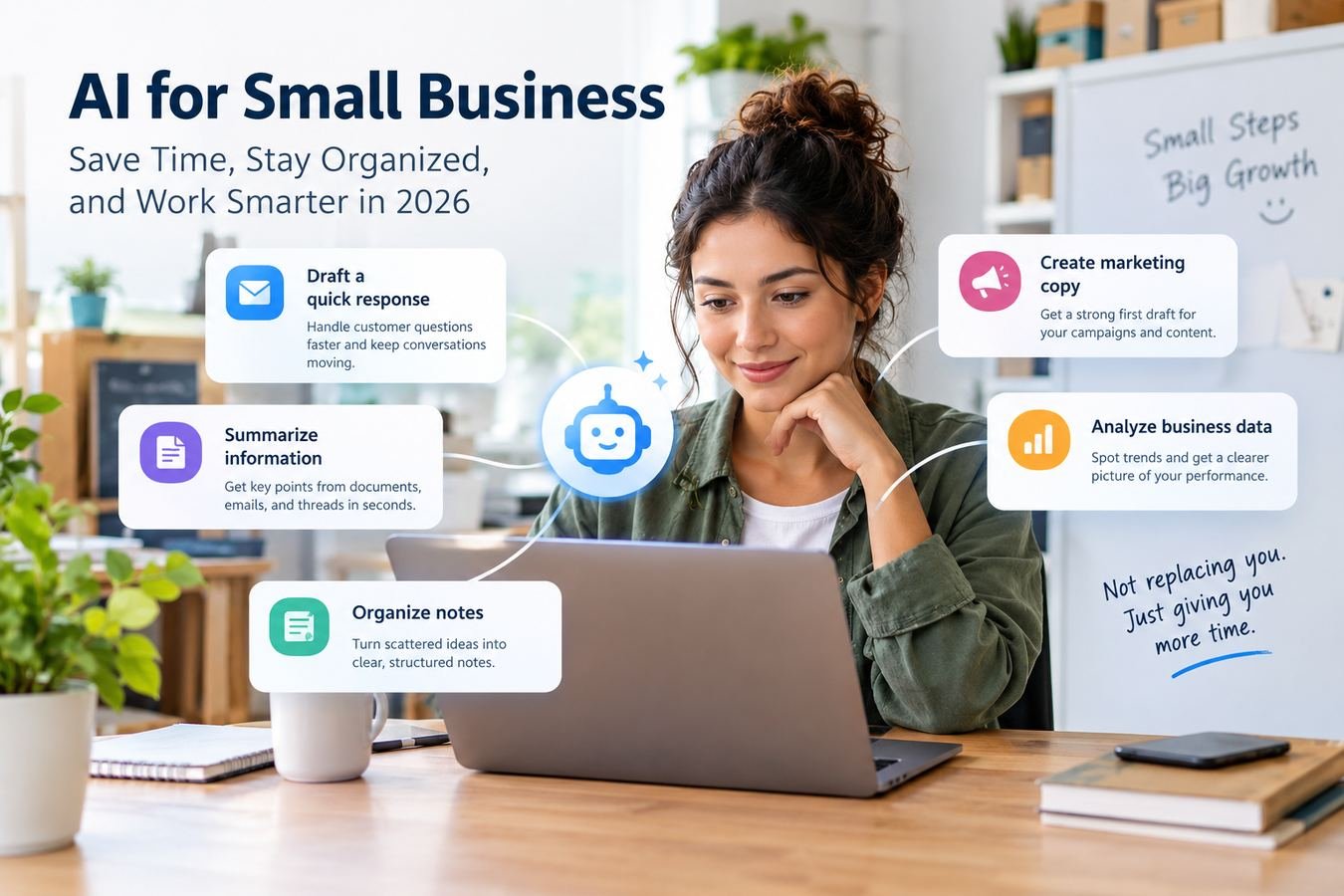
That is where AI for small business can be useful in 2026. The most practical tools are not replacing the owner or making major decisions independently. They are helping with specific pieces of work: drafting a response, summarizing information, organizing notes, creating a first version of marketing copy, or finding patterns in business data.
Current AI tools can work with common business files, summarize documents and email threads, draft text, and analyze spreadsheets when the necessary information is provided or an appropriate connection is enabled. The key is choosing tasks where a faster first draft or clearer summary actually saves useful time.
Where AI for Small Business Is Most Useful
The best starting point is usually a task that happens repeatedly and already has a clear human process. Think about activities such as answering similar customer questions, writing appointment reminders, following up with leads, turning rough notes into polished messages, or reviewing monthly sales figures.
AI works particularly well when the owner can provide useful context and describe the desired output clearly. It is less useful when the task depends on information the system has not been given, requires judgment about a sensitive situation, or involves taking actions in business software without the necessary integration and permission.
Consider a hypothetical residential cleaning company. The owner receives questions about availability, service areas, what is included in a standard cleaning, and how customers should prepare before an appointment. Instead of writing every answer from scratch, the owner could give an AI tool the approved service information and ask it to draft replies. The business still decides what is accurate and what should be sent, but the repetitive writing becomes easier.
That type of narrow, well-defined use is often more valuable than trying to “add AI” to every part of the company at once.
Handle Routine Customer Support More Consistently
Customer support is one of the clearest practical uses because small businesses often answer the same questions repeatedly.
An owner can provide information such as business hours, return rules, appointment policies, service descriptions, shipping expectations, or frequently asked questions. AI can then turn that material into draft email responses, chat replies, or internal answer templates.
Imagine, as an illustration, a small online store receiving a message from a customer asking whether an unopened item can be returned after two weeks. The owner could provide the store’s actual return policy and the customer’s message. The AI could produce a polite response explaining the applicable policy and the next step.
The important detail is that the AI is working from information supplied by the business. It should not be expected to know the store’s current policies automatically.
AI can also help summarize a long customer conversation before a team member responds. For businesses using supported productivity platforms, current tools can already summarize email threads and suggest or draft replies.
Human review still matters, particularly for complaints, refunds, unusual requests, contractual questions, or situations where a customer’s circumstances require flexibility. The goal is to remove unnecessary drafting work without making customer service feel careless or automatic.
Create Marketing Content From Real Business Information
Marketing becomes easier when AI is treated as a drafting assistant rather than a source of invented ideas about the company.
A local business can provide specific information about a promotion, service, product, event, or customer question and ask AI to reshape it for different channels.
Suppose a neighborhood bakery plans to offer Thanksgiving preorders. The owner might provide the available pies, order deadline, pickup dates, and ordering instructions. From that information, AI could draft an email announcement, several social posts, a short website notice, and alternative subject lines.
The owner is still responsible for verifying prices, dates, product details, and claims. What AI reduces is the work of repeatedly rewriting the same underlying information.
The same approach works for educational marketing. A landscaping company, for example, could provide notes from its staff about fall lawn preparation and ask for a customer-friendly newsletter. A small accounting practice could turn a list of common document-reminder questions into clearer client communications without asking AI to invent tax advice.
This is generally more effective than entering a vague request such as “write marketing content for my company.” Better inputs produce material that sounds closer to the actual business.
Make Sales Follow-Ups Easier to Personalize
A small company may generate leads through phone calls, website forms, trade shows, consultations, referrals, or social media. The difficulty often comes after the first contact.
AI can help turn basic lead information into a useful follow-up draft. The owner might provide what the prospect asked about, the service discussed, any agreed next step, and the tone the business normally uses.
Consider a hypothetical commercial printing company. A prospective customer asks about 2,000 product catalogs but has not yet provided final artwork. A salesperson could give AI brief notes from the conversation and request a concise follow-up email that confirms the quantity, asks for the artwork, and offers to answer questions about paper options.
That is different from allowing AI to decide what the customer needs or promising a delivery date that has not been confirmed.
It can also help salespeople summarize meeting notes, turn scattered points into a cleaner CRM entry, or create different versions of an outreach message for different types of prospects.
For follow-ups to remain useful, they should reference genuine information. Artificial personalization—such as invented details about a prospect or unsupported claims about what a company can deliver—can damage trust more quickly than a simple generic message.
Reduce Time Spent on Administrative Work
Administrative work contains many small tasks that are individually manageable but collectively consume a large part of the week.
AI can help summarize documents, organize meeting notes, extract action items, rewrite rough internal messages, classify information, and convert unstructured notes into a more usable format. Current tools can work with common documents and spreadsheets, depending on the product, plan, and workspace settings.
For example, imagine a five-person home remodeling business that holds a weekly planning meeting. Someone takes rough notes containing job updates, supplier issues, customer decisions, and next steps. Those notes could be given to an AI tool with a request to organize them into project updates and action items.
The result gives the team a starting point instead of requiring someone to rewrite the meeting from scratch.
Some business software also includes automation directly inside the accounting workflow. QuickBooks, for example, currently supports automated invoice reminders, while its newer AI features can work with company financial information for supported accounts.
That distinction matters. A general chatbot does not automatically have access to a company’s invoices, calendar, email, or accounting records. Those capabilities depend on the product being used, account settings, available integrations, and the permissions the business has granted.
Understand Business Data Without Building a Complex Report
Small businesses often collect more data than they actually use. Sales records, order exports, advertising reports, appointment histories, customer lists, and expense spreadsheets may all contain useful information, but someone still has to interpret them.
AI can make that first layer of analysis easier.
For instance, a hypothetical specialty retailer could export six months of sales into a spreadsheet with columns for date, product category, units sold, revenue, and location. The owner could upload the file to a tool that supports data analysis and ask questions such as which categories grew month over month, which products had unusually inconsistent sales, or which store generated the highest average transaction value.
Current ChatGPT data-analysis capabilities, for example, can analyze uploaded CSV and Excel files and generate tables or visualizations from the data.
The value is not that AI magically knows what the business should do next. It helps the owner explore the numbers more quickly and identify questions worth investigating.
Business owners should still verify important calculations and understand the source data. If a spreadsheet contains duplicated transactions, inconsistent categories, or missing months, an attractive chart will not correct the underlying problem automatically.
Choose a Tool Based on the Task, Not the Hype
There is no need for a small business to begin with a large collection of AI products. Start by identifying one recurring problem.
If the main issue is writing and summarization, look for a tool that works comfortably with the documents and communication systems the team already uses. If the goal is analyzing sales exports, strong spreadsheet and data-analysis capabilities matter more. If the task involves accounting information, an AI feature built into the accounting platform may be more appropriate than manually moving sensitive information into an unrelated service.
Before subscribing, look at a few practical questions:
- Can the tool handle the actual files or information used in the task?
- Does it integrate with the software the business already uses when an integration is necessary?
- What permissions does it require?
- How does the provider handle business data?
- Can employees review an output before it reaches a customer or changes a business record?
- Does the expected time saved justify the subscription and setup effort?
Feature availability can differ by plan, account type, and workspace configuration, so current documentation should be checked before buying a product specifically for one feature. For example, Google notes that several Gemini capabilities in Workspace depend on having an eligible plan or organizational support.
Start With One Small Workflow and Measure the Result
A useful AI project should be easy to explain.
Instead of saying, “We want to use AI in customer service,” define the first experiment more narrowly: “We want to reduce the time spent drafting replies to appointment questions.”
Collect a small set of approved information, create a repeatable prompt or workflow, and test the output on real examples without automatically sending anything.
Then judge the result using practical measures. Does the employee spend less time drafting? How much editing is required? Are important details being missed? Does the process feel simpler or does it create additional checking work?
A business might discover that AI creates an excellent first draft in one area but produces little value in another. That is useful information. The objective is not maximum AI adoption. The objective is finding workflows where the technology produces enough benefit to justify its cost, training, and oversight.
Once one workflow works reliably, the business can consider another.
Know Where Human Review Still Matters
AI can produce polished language even when something inside the answer is incorrect. That is why review should be matched to the risk of the task.
A social caption based on already approved information may require a quick check. A message involving a disputed invoice, employment issue, contract term, medical question, tax matter, or financial decision deserves much more care and may require a qualified professional.
Privacy also matters. Owners should understand what information employees are entering into AI systems and whether the chosen service is appropriate for customer records, internal documents, financial data, or other confidential material.
The simplest rule is to give AI enough information to complete the task, but not assume that convenience removes the need for normal business controls.
Conclusion
The most useful approach to AI for small business in 2026 is practical and limited: choose one repetitive task, provide accurate information, let AI produce a draft or analysis, and keep a person responsible for the final result.
Customer replies, marketing drafts, lead follow-ups, administrative summaries, and spreadsheet analysis are all reasonable places to experiment because the business can clearly compare the old process with the new one.
A good next step is to identify one task your business repeats several times each week and test AI on five real examples. Compare the time saved, the amount of editing required, and the quality of the final result before deciding whether to expand its use.
FAQs
Does a small business need technical employees to start using AI?
Usually not for basic tasks such as drafting, summarizing, organizing text, or analyzing a straightforward spreadsheet. More advanced automation and integrations may require technical setup, but a business can begin with a simple workflow that employees can review manually.
Should employees put customer information into an AI tool?
Only when the business has reviewed the provider’s data and privacy terms and decided that the specific information is appropriate to use there. Sensitive data should not be entered into a tool simply because it makes a task more convenient.
Is it better to use one general AI tool or specialized business software?
It depends on the task. A general tool can be useful for writing, summarization, brainstorming, and file analysis. Specialized software may be a better choice when the task depends directly on accounting records, customer databases, scheduling systems, or another source that requires secure access and specific permissions.
How can a business tell whether an AI subscription is worth paying for?
Measure a specific workflow before and after using it. Look at how often the task occurs, how much employee time is saved, how much correction the AI output requires, and whether the tool adds useful capabilities that the business would otherwise have to perform manually. If the workflow still requires nearly as much work as before, the subscription may not be providing enough value.